Connect basic coal power to the Silicon Smelter
Fuel a researched Combustion Generator and connect it with the Silicon Smelter through a valid Power Node network. Then check ingredients and output separately.
Version: v146
Before you start
- Research Mechanical Drill → Combustion Generator, including the coal research objective and copper/lead dependencies. Pay the displayed research cost before spending 25 copper and 15 lead on construction.
- Research Combustion Generator, then Power Node. Copper and lead must be unlocked; research payment is separate from the 1 copper and 3 lead required for each placed node.
- A researched Silicon Smelter, separate coal/sand recipe supplies, and construction materials for all buildings.
Steps
- Build a Combustion Generator with 25 copper and 15 lead. Feed coal through a conveyor facing the generator.
- Place Power Nodes with 1 copper and 3 lead each so valid links can reach both generator and smelter. A node carries power; it does not generate it.
- Inspect the links after placement. To configure a connection, select the node and click a valid powered building within reach; this toggles that link. Avoid clicking an already-connected target unnecessarily.
- Check that the generator and smelter belong to the connected network. If a link cannot be made, check reach, the target, insulation and connection limits; move the node rather than assuming proximity is sufficient.
- If the smelter remains stopped, check generator fuel and power connections first, then its coal/sand inputs and output room. Add capacity only after finding an actual shortage.
Success: The fueled generator supplies the connected smelter; with ingredients and output room, silicon production can proceed.
Version and scope
Mindustry v146, unmodded Serpulo on desktop. Based on official tutorial text and game source; not a recorded gameplay test.
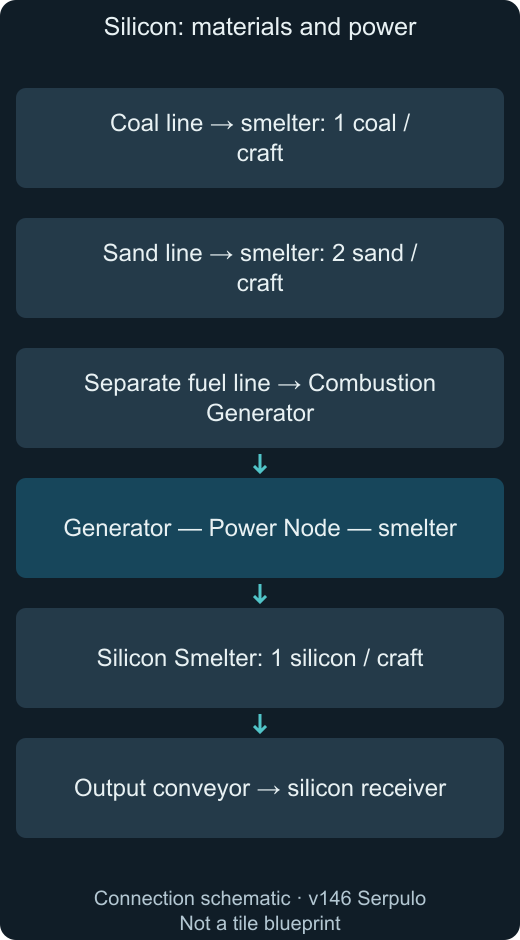
Connection diagram
Keep fuel delivery separate from electrical links. Select a node to inspect links; clicking a valid target toggles its connection. The diagram is conceptual, not a tested tile layout.